A Google review QR code sign that also taps.
Your review QR code printed on a durable tile, with an NFC chip behind it. Scanners scan, tappers tap, and both land on the same review form.
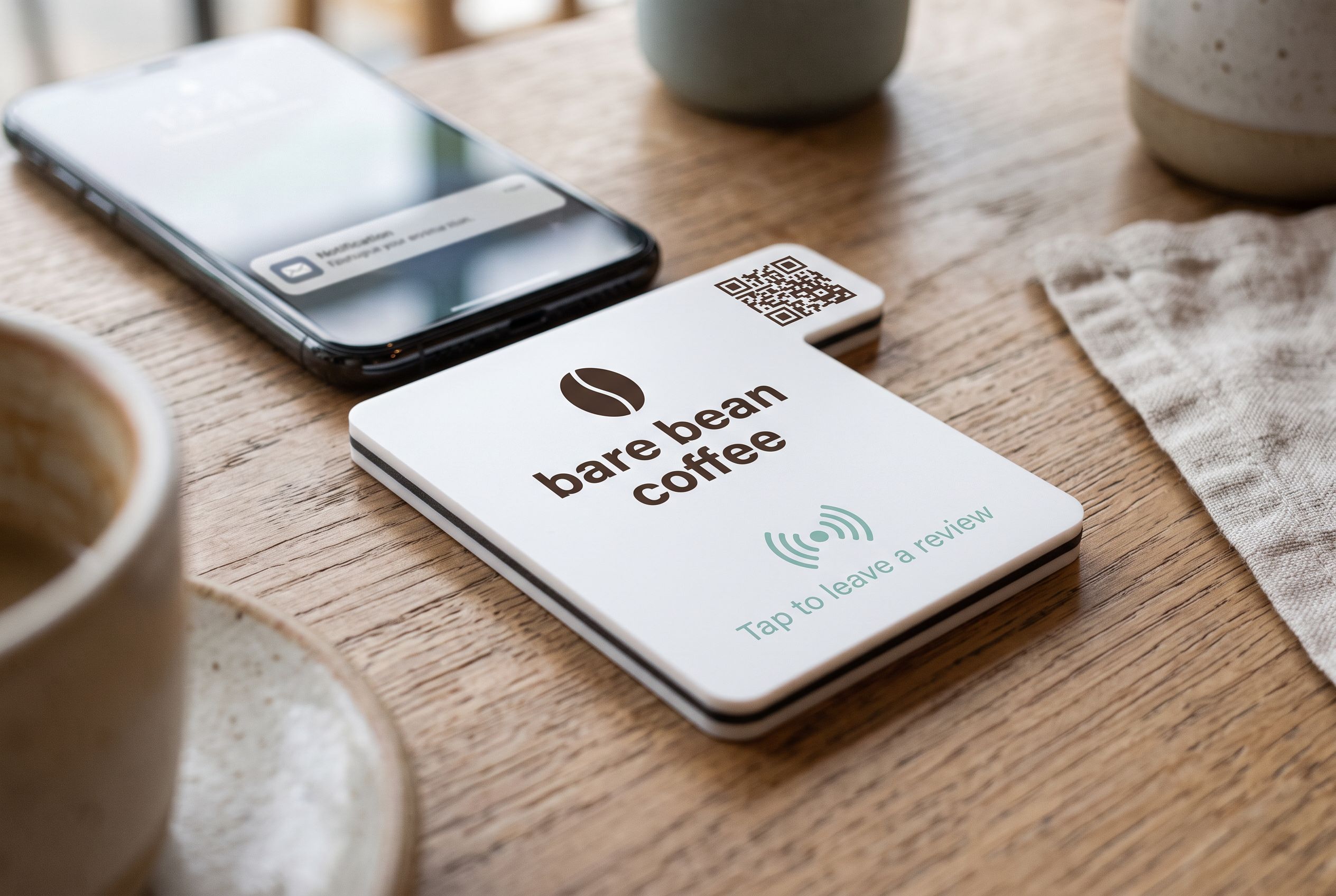
QR for every phone
Any phone with a camera can scan it, including older models without NFC.
NFC for speed
Phones that tap skip the camera altogether. Same tile, same link.
A code you can change
The QR points at a Shortfield address, so you can change the destination without reprinting.
Printed to last
Printed on laser-cut acrylic or wood, not a laminated sheet that curls and fades.
A Google review QR code sign is the most familiar way to ask for a review. Customers know what a QR code is, every phone with a camera can scan one, and it opens your Google review form without anyone searching for your business. The problems come from how most of these signs are made: a code printed on paper, pointing straight at a link that can never change, slipped into a plastic sleeve that gets sticky and fades.
A Shortfield sign keeps the QR code and fixes the rest. The code is printed onto a laser-cut acrylic or wood tile. It points at a Shortfield address you control. And an NFC chip is sealed behind it, so phones that tap do not need the camera at all.
Getting your Google review QR code
Start with the review link. In your Google Business Profile, choose “Ask for reviews” or “Get more reviews” and copy the short link it gives you. Our guide to getting your Google review link shows each step. Paste that link into the designer on the Google review tile page and tick the option to print a QR code on the face. We generate the code; you see it in the render before you buy.
Static vs dynamic: why it matters on a sign
A free QR generator gives you a static code: the Google link is baked into the pattern. If your listing changes, you merge two profiles or you move premises, the code on every sign is wrong and has to be reprinted.
The code on a Shortfield sign is dynamic. It points at a Shortfield address, and that address forwards to whatever destination you set in your account. Change it once and every sign follows, QR and NFC together. Dynamic vs static QR codes explains the difference in more detail.
Why pair the QR code with NFC
Scanning takes a few steps: unlock, open the camera, frame the code, tap the banner. In a dim restaurant or with a cracked lens, it can take a few goes. A tap on the NFC chip skips all of that. Every iPhone XR and newer, and NFC-equipped Android phones, open the review form from the lock screen.
Neither method covers everyone on its own. The QR code catches older phones and people who have never tapped anything. The chip catches everyone in a hurry. Together they cover the whole queue, from the same tile, pointing at the same form. For the trade-offs, read NFC vs QR codes for venues. If the tap is the part that interests you, see the tap to review sign.
Making the code easy to scan
- Size for distance. At the counter, the 106mm or 147mm tile is enough. On a wall or window read from a few metres, go to 198mm or 237mm.
- Contrast. A dark code on a light face scans most reliably. Mirror and glitter finishes look good but keep the code area plain.
- Words beside it. “Scan or tap to review us on Google” tells people both options exist.
Keep the ask fair
Put the sign where every customer can see it, and do not offer a discount or freebie for a review. Google’s policies prohibit incentives and selective asking, and the ACCC treats incentivised or selectively solicited reviews as potentially misleading under Australian Consumer Law. See Google review rules in Australia.
Tiles run from $39 to $430 each, AUD inc. GST, with no subscription required. Stand it on the counter as a Google review stand or fix it to a wall as a plaque.
The tiles that fit
Questions, answered.
Copy your review link from Google Business Profile under "Ask for reviews" or "Get more reviews". Paste it into the designer and we print a QR code on the tile that opens it.
Dynamic. The code points at a Shortfield address that forwards to your review link, so you can change where it goes from your account and the printed code keeps working.
A tap is faster than opening the camera and lining up a code, and it works in dim light. The QR code catches the phones that cannot tap. Both open the same page.
On the 106mm tile it scans comfortably at counter distance. For a wall or window read from further away, choose the 198mm or 237mm tile so the code prints larger.
Every Shortfield tile has the NFC chip sealed inside; the QR code is the optional part. If you want people to scan, make the code the focus of the face and the chip is there for anyone who taps.