The Wi-Fi password sign that keeps up.
Change the password as often as you like. The sign on the wall stays the same, and a tap still shows guests the current one.
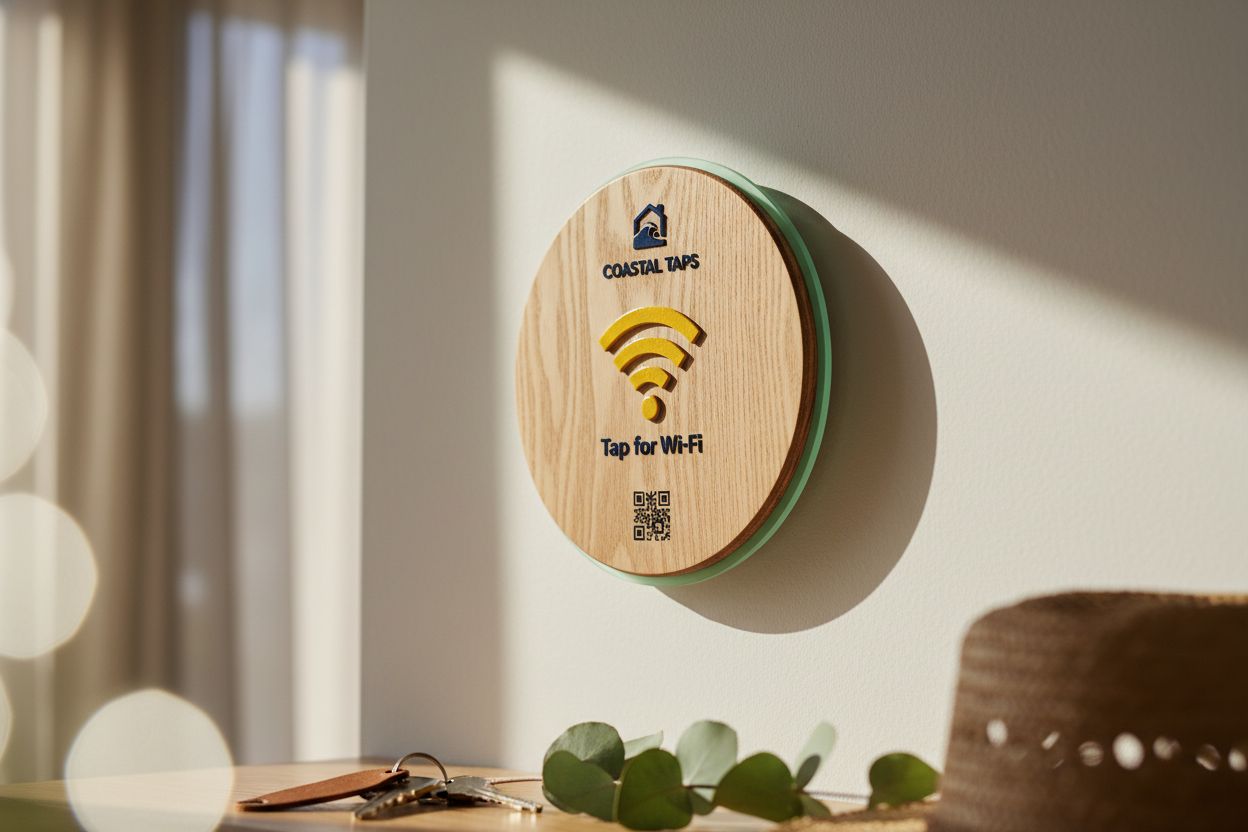
The password isn't printed
It sits on a page behind the sign. Nothing on the sign itself goes out of date.
Rotate it in seconds
Edit the password in your account and every sign pointing at that page shows the new one.
Copy, don't type
Guests copy the password with one button, so long random passwords stop being a problem.
One tile, many rooms
Point several signs at one page and a single edit updates reception, the meeting room and the café corner.
A printed Wi-Fi password sign has one weakness: the password. Once it is on the sign, changing it means making a new sign, so most places never change it. The café password stays the same for five years, the office one is shared with every contractor who ever visited, and the Airbnb one is on a hundred past guests’ phones. A sign that shows the password without carrying it fixes that.
A password sign that doesn’t print the password
Our sign is a tile with an NFC chip inside and an optional QR code on the face. The face says what to do, “Tap for Wi-Fi” or “Free Wi-Fi, tap here”, and never shows the password. A tap or a scan opens a page with your network name and the current password, each with a copy button.
When you change the password on the router, you change it on that page from your Shortfield account. The next person to tap sees the new one. The sign is not reprinted or reprogrammed; the chip points at the same address it always did. If you are used to NFC tags that have to be rewritten, this guide explains why ours never need it.
Wi-Fi password sign for guests
For a café, restaurant or guesthouse, the sign replaces the chalkboard line and the laminated card. Guests find it without asking, and because they copy rather than type, you can use a proper password. Put the guest network on the page and nothing else.
Wi-Fi password sign for the office
Offices have visitors, contractors and interviewees who all need the internet and none of whom should be on the staff network. A tile in the meeting room and one at reception, both pointing at the same page, means one edit when you rotate the visitor password. A matching set for every meeting room can be ordered together through bulk orders from 10 tiles.
Wi-Fi password sign for home
At home the reason is usually a long router password nobody can read off the sticker. A small wooden tile by the front door or on the kitchen wall means visiting family, babysitters and tradies get online without you finding the router. Choose acrylic or wood to match the room.
Setting it up
Design the face in the Wi-Fi tile designer: wording, logo, material, size from 106mm to 237mm. Once it arrives, enter the network name and password on its page in your account. From then on, the only thing you ever touch is that page.
The hosted Wi-Fi page is part of the Starter plan, $9 a month with a 30-day trial. Tap counts show how often guests use it. See the full breakdown on pricing.
The tiles that fit
Questions, answered.
Monthly is plenty for most offices and cafés. For a holiday rental, some hosts change it between stays. With the password on a page rather than the sign, either is a quick edit.
Yes, and you should. Guests copy it with a button instead of typing it, so length costs them nothing.
Yes. Word the face however you like, such as "Free Wi-Fi, tap here", and add your logo. Tiles start at $39 AUD inc. GST.
It does. A small tile inside the front door means visiting family never have to ask, and you can keep a strong password.
The tile keeps working on the free Basic account, pointed at any link you choose. The hosted Wi-Fi page with copy buttons is the Starter plan feature.